How it works
From scattered documents to instant AI-powered knowledge in three simple steps.
1
Upload or Connect Your Sources
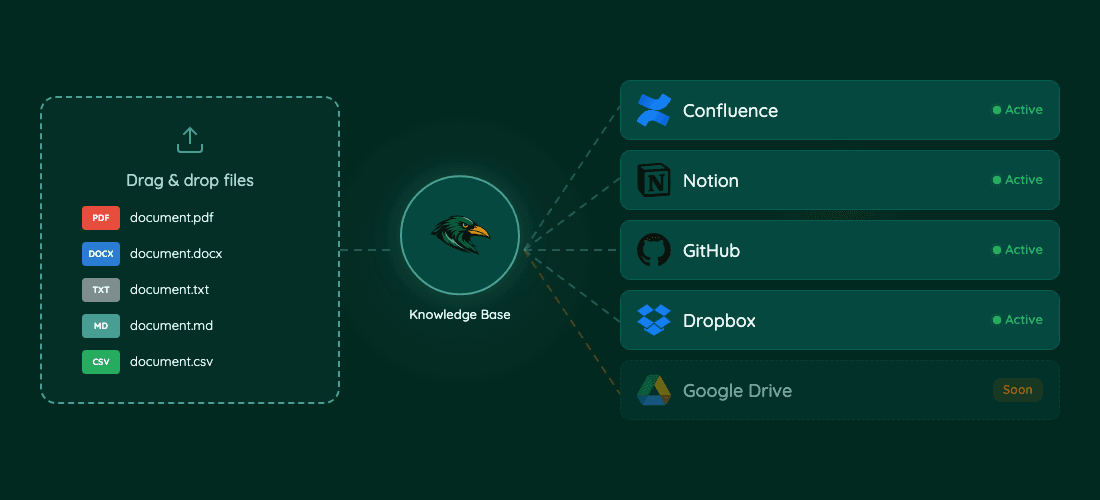
Drag and drop documents directly or connect tools like Confluence, Notion, GitHub, and Dropbox. Knowledge Raven supports PDF, DOCX, TXT, Markdown, and CSV. Google Drive connector is coming soon.
2
Automatic Indexing — Fully Handled for You
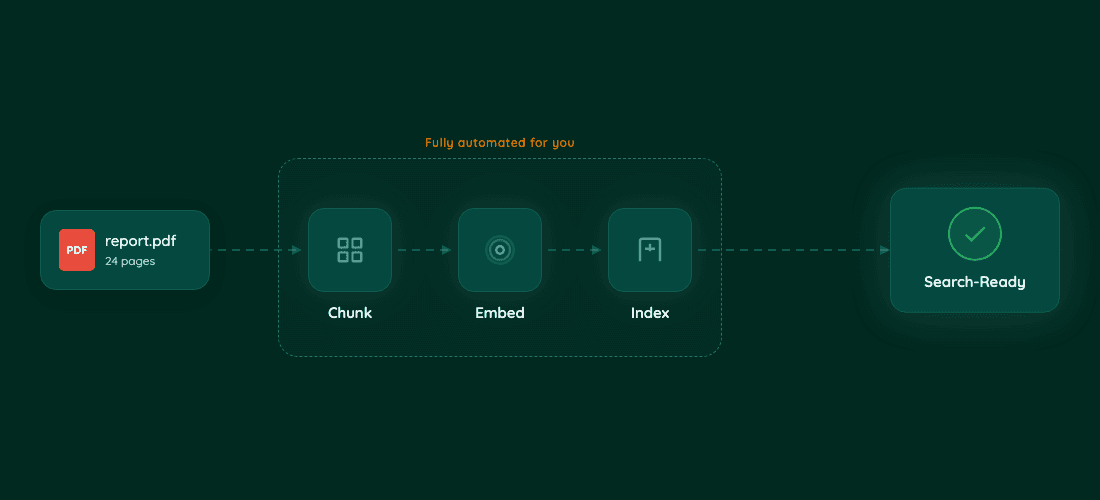
Once your documents are in, Knowledge Raven automatically chunks, embeds, and indexes everything. No configuration needed, no embedding knowledge required. Your content is search-ready in minutes.
3
Your AI Agent Searches with Precision
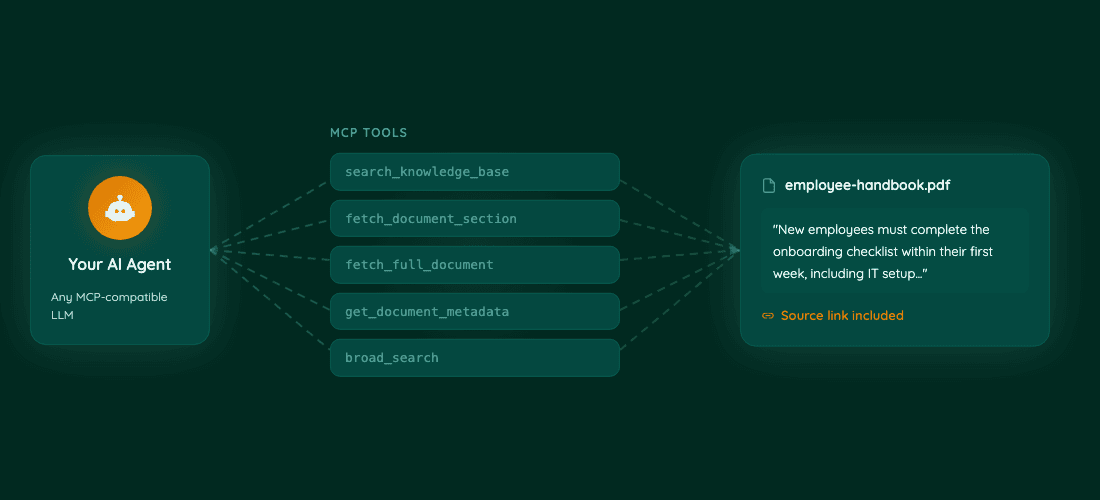
Connect any MCP-compatible AI — Claude, GPT, Gemini, Cursor — and give it the Knowledge Raven skill. Your agent gets specialized tools to search, fetch, and cite from your knowledge base. Every answer includes source links for verification.